Co-parenting can be challenging, especially when trying to keep schedules, communication, and expenses organized between two households.
Digital tools designed for co-parenting simplify these tasks by offering shared calendars, messaging platforms, and expense trackers all in one place.

With features like secure communication, real-time updates, and customizable access, these tools support clear coordination without overwhelming either parent.
They also provide a way to store important documents and track responsibilities, which helps parents stay on the same page and focus on their children’s well-being.
Choosing the right co-parenting app depends on the family’s needs, including the level of conflict and complexity of schedules.
Key Takeaways
- Co-parenting apps improve organization by combining calendars, messaging, and expense tracking.
- Clear communication tools reduce conflict and help coordinate parenting duties.
- Selecting an app that fits the family’s unique situation supports better co-parenting outcomes.
Key Benefits of Digital Co-Parenting Tools

Digital tools for co-parenting help parents manage their schedules, expenses, and communication more clearly.
They provide a structure that can reduce tension, track important details, and create a fair system that supports both parents and children.
Reducing Conflict and Miscommunication
Co-parenting apps create a clear record of all messages and plans.
Because messages are timestamped and cannot be edited, they stop “he said, she said” arguments.
This helps reduce misunderstandings and limits emotional reactions based on miscommunication.
These tools also prevent children from being messengers, helping parents communicate directly without involving their kids.
Some apps offer tone meters to detect if a message might sound harsh, giving parents a chance to adjust before sending.
This feature is especially useful in high-conflict situations where emotions can run hot.
Digital tools create a neutral space for communication, reducing personal attacks and promoting respect between divorced parents.
Supporting Emotional Wellness
Co-parenting can bring emotional stress, especially after separation or divorce.
Digital tools provide a buffer, allowing parents to respond thoughtfully rather than reacting impulsively.
By organizing schedules, expenses, and messages in one place, these apps help parents feel less overwhelmed.
A clear system reduces anxiety about missing appointments or mismanaging costs.
Some apps encourage positive habits, such as regular check-ins and reminders, which support consistent and calm exchanges.
This approach helps maintain emotional wellness by lowering the chance of drama and tension between parents.
Enhancing Accountability and Transparency
Digital co-parenting tools improve accountability by keeping a detailed history of plans, messages, and payments.
Discovering who paid what or when an event was confirmed becomes easier and more transparent.
Many apps generate court-admissible records.
This feature can protect parents in legal disputes by offering solid evidence instead of relying on memories or verbal claims.
Shared calendars and expense trackers help both parents stay on the same page.
They show who is responsible for specific tasks and when events will happen.
This clear oversight promotes fairness and trust, which are critical for successful co-parenting.
Communication and Messaging Platforms
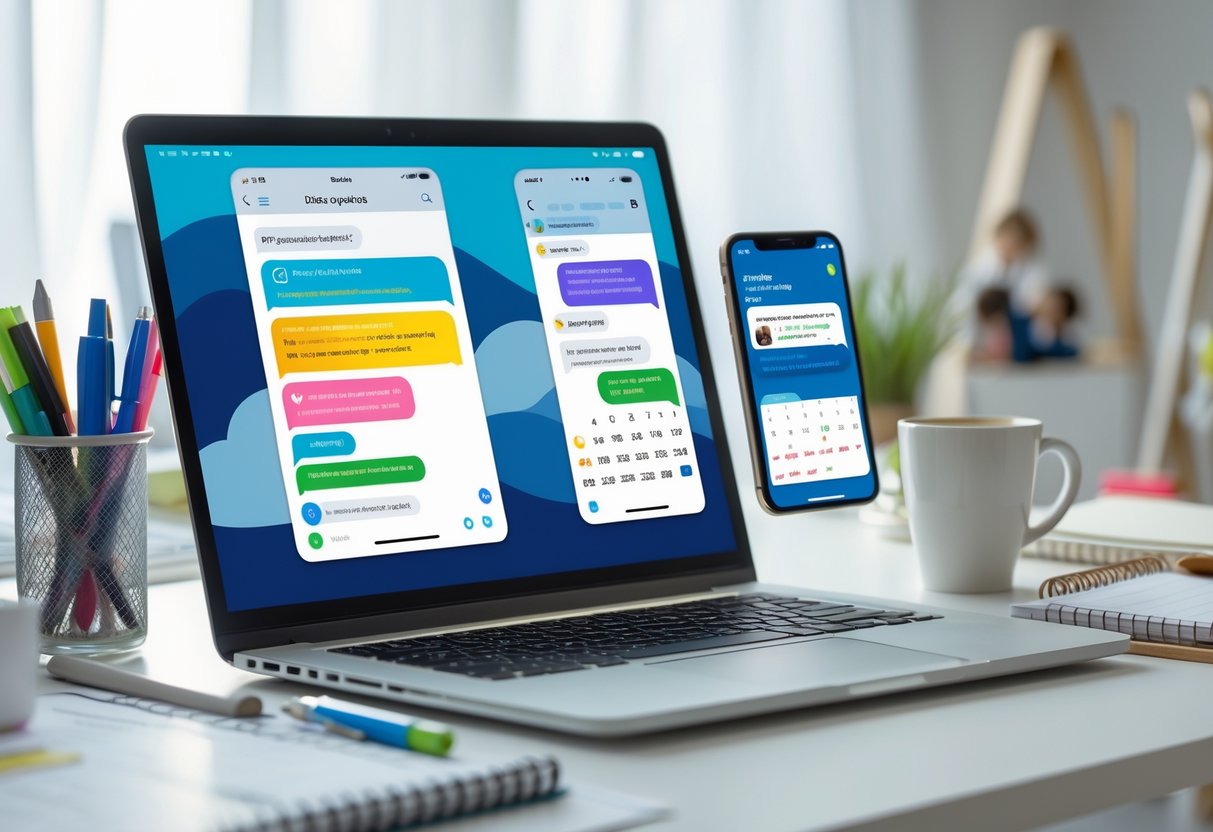
Effective communication is essential for co-parents to coordinate schedules, share important updates, and minimize misunderstandings.
Reliable digital tools provide features that promote clear, respectful dialogue while keeping records safe.
These tools often protect privacy and offer ways to document conversations, which can be important for legal matters.
Secure Messaging for Co-Parents
Secure messaging platforms designed for co-parenting focus on privacy and accountability.
Messages are typically encrypted and timestamped, preventing edits or deletions to ensure accuracy.
This helps reduce disputes over what was said or agreed upon.
Apps like TalkingParents and OurFamilyWizard offer secure messaging systems where parents can exchange information without needing to rely on texts or emails.
These platforms prevent children from being used as messengers and provide structured communication.
Security features also help keep sensitive family details private, protecting both parents and children.
The emphasis on respectful, organized communication reduces emotional triggers.
Some apps add tools to help maintain calm, such as tone meters or digital barriers that give parents time to think before replying.
Documentation and Privacy Features
Co-parenting tools often include features for storing important documents and creating a permanent record of exchanges.
This documentation is useful for tracking agreements, expenses, or scheduling changes.
Most platforms ensure conversations and files are saved securely with limited access.
This protects family privacy while providing evidence if disputes arise.
For example, secure messaging apps create court-admissible records often accepted in family law proceedings.
Privacy policies and encryption standards help prevent unauthorized access.
Parents can trust these tools to safely manage sensitive information, supporting both day-to-day parenting and legal needs.
Having clear, accessible documentation reduces confusion and supports accountability.
Court-Recommended Communication Tools
Some digital tools are specifically designed to meet family law requirements.
They provide features that help parents document interactions in ways courts find reliable and clear.
OurFamilyWizard is a popular choice in high-conflict situations.
It offers a secure messaging system, shared calendars, and a tone meter to reduce heated exchanges.
Many courts recommend or require its use because messages and logs are accepted as legal evidence.
TalkingParents also provides timestamped messaging and call records with free and upgraded plans.
Its secure system helps parents maintain clear communication trails that support custody case documentation.
These apps not only improve communication but also reduce stress during legal disputes by organizing records efficiently.
For those handling complex custody arrangements or anticipating legal challenges, these court-approved tools are essential co-parenting resources.
Read more about these options and their features at OurFamilyWizard.
Organizing Schedules with Shared Calendars
Shared calendars play a crucial role in managing the busy lives of co-parents.
They help keep track of visitation plans, school events, and special occasions in a clear, organized way.
Using these tools reduces confusion and ensures both parents stay updated in real time.
Visitation and Custody Scheduling
Managing visitation schedules and child custody requires precision and clear communication.
Shared calendars like Custody X Change or 2houses allow both parents to input detailed custody arrangements and track changes with time-stamped edits.
This helps avoid misunderstandings by showing exactly when and where exchanges happen.
These apps also support creating and following complex parenting plans.
Each parent can add notes or reminders about visitation pick-ups or drop-offs.
When updates are made, both parties receive notifications to stay informed immediately.
Using a shared calendar designed for co-parenting improves accountability.
It keeps court-approved parenting plans accessible and helps reduce conflicts over scheduling.
The ability to reference past entries can support legal needs if disputes arise.
Managing School and Activity Calendars
Co-parents can face challenges coordinating school schedules, extracurricular activities, and appointments.
Shared calendars like Cozi or FamCal allow parents to add events such as parent-teacher conferences, sports practices, and music lessons, color-coded by family member.
Centralizing information in one calendar eliminates missed appointments or double bookings.
Parents can set reminders for deadlines, like field trips or school supply needs.
This ensures everyone stays on the same page and children’s activities run smoothly.
These calendars sync across devices, so both parents can check updates on iPhone, iPad, or web anytime.
This reduces the need for constant texting or emailing about daily plans.
Coordinating Holidays and Special Events
Planning holidays, birthdays, or special events between two households often requires extra care.
Shared calendars help co-parents divide time fairly and avoid conflicts.
Parents can block out dates for holidays and specify which parent will spend time with the child.
Features like shared notes allow adding details like gift ideas or travel plans.
This transparency builds cooperation and reduces last-minute confusion.
Apps tailored for co-parenting also log changes and approvals, which helps with accountability.
Both parents can review the schedule well ahead of time to manage travel and childcare needs.
Coordinating special occasions with a shared calendar supports smooth transitions and positive experiences for children.
For more on using shared calendars for co-parenting, see examples like OurFamilyWizard.
Expense Tracking and Financial Management Tools

Effective co-parenting requires careful handling of money matters.
Tools that track expenses and manage payments help maintain transparency and reduce conflicts.
These features allow parents to keep clear records of spending and payments related to their children’s needs.
Splitting and Recording Shared Expenses
Many co-parenting apps let users split expenses in customizable ways.
They can record purchases for things like school supplies, health care, and activities.
Uploading receipts or photos provides proof of spending, helping to avoid disputes.
These tools often allow parents to assign expense percentages based on agreements.
For example:
| Expense Type | Parent A Share | Parent B Share |
|---|---|---|
| School Supplies | 60% | 40% |
| Medical Costs | 50% | 50% |
| Extracurricular Fees | 70% | 30% |
Users can mark expenses as pending, approved, or paid, creating an organized financial timeline.
This process helps maintain trust and simplifies reimbursements.
Managing Child Support Payments
Specialized platforms provide secure options for sending and receiving child support payments.
These systems offer automatic tracking and can schedule recurring payments to ensure timeliness.
Some tools also feature clear records for each transaction.
This improves accountability because both parents see payment status updates.
Automating payments reduces the risk of missed or late payments, which often cause tension.
Certain apps include reminders before payment due dates.
A simple notification system helps parents stay on top of their financial commitments without constant communication.
Financial Documentation for Legal Needs
Keeping accurate financial records is crucial when legal proof is required.
Expense tracking apps save all receipts, messages, and payment history in one place.
This documentation can support court cases or mediation by showing exactly what was spent and paid.
Some apps allow export of reports and detailed summaries, useful for lawyers or judges reviewing the case.
Additionally, a clear audit trail helps resolve disagreements by providing unbiased evidence.
This reduces emotional conflict and supports fair financial management between parents.
For helpful tools with these features, see apps simplifying shared parenting expenses and those offering organized financial tracking with categorized reports.
Emotional Wellness and Mindfulness Resources
Managing stress and emotional challenges is crucial for effective co-parenting.
Resources that focus on mindfulness and emotional wellness can support both parents and children by promoting calm, clarity, and healthy communication habits.
Apps for Stress Reduction
Stress-reduction apps like Headspace offer guided meditation, breathing exercises, and mindfulness practices that help parents manage daily tension.
These tools encourage users to pause and focus, reducing anxiety that can interfere with parenting decisions.
Regular use can build emotional resilience and improve patience during challenging interactions.
Such apps often include features like personalized meditation plans, sleep aids, and reminders to practice mindfulness.
They are easy to access on smartphones, making it possible for parents to take quick breaks even during busy days.
Using these tools helps maintain a more balanced mindset, which is essential for clear communication and conflict avoidance in co-parenting.
Emotional Support for Children
Children involved in co-parenting situations benefit from resources that validate their feelings and teach coping skills.
Tools like age-appropriate mindfulness exercises and journaling prompts help kids express emotions without feeling overwhelmed.
Parents can guide children in using these resources to build emotional awareness.
Creating a routine that includes calming activities, like mindfulness or deep breathing, provides stability.
Parents can also seek counseling or support groups designed for children of separated families.
This emotional support reduces anxiety, improves behavior, and ensures children feel safe and understood throughout changes.
Maintaining Parental Wellbeing
Parents must prioritize their own emotional wellbeing to co-parent effectively.
This means setting boundaries, seeking therapy if needed, and engaging in regular self-care.
Emotional wellness apps can track moods and suggest coping strategies based on individual needs.
A strong support network of friends, family, or professionals offers necessary encouragement.
Mindfulness helps parents stay present and reduce impulsive reactions during disagreements.
By caring for their mental health, parents create a healthier environment for their children and a more cooperative co-parenting relationship.
For more insights on using technology to support mental wellness in parenting, see Best Mental Health Apps For Parents In 2025 Free.
Choosing and Implementing the Right Co-Parenting App
Selecting the right co-parenting app involves evaluating features, usability, and security. Parents should prioritize tools that match their specific needs, balancing ease of use with robust functions.
Consider how the app supports communication, schedule management, and financial tracking while protecting sensitive information.
Top Co-Parenting App Features
Key features to look for include secure messaging, shared calendars, and expense tracking. Messaging should be time-stamped and non-editable to maintain a clear communication record, as seen in apps like TalkingParents and OurFamilyWizard.
Shared calendars allow both parents to view and edit custody schedules and appointments, reducing missed events. Expense tracking tools, offered by 2houses and Custody X Change, help log child-related costs and simplify reimbursements.
Document storage is also useful for keeping medical records or court orders accessible to both parents. Notifications about schedule changes or new messages keep parents informed.
Features like tone analysis in OurFamilyWizard can encourage respectful communication, which helps reduce conflict.
| Feature | Description | Notable Apps |
|---|---|---|
| Secure Messaging | Time-stamped, archived communication | TalkingParents, OurFamilyWizard |
| Shared Calendar | Joint custody schedules and events | Cozi, 2houses |
| Expense Tracking | Track, upload receipts, and split costs | 2houses, Custody X Change |
| Document Storage | Store important co-parenting documents | OurFamilyWizard, 2houses |
| Notifications | Alerts for messages, schedule changes | Most co-parenting apps |
User Experience and Accessibility
An app must be easy to navigate for consistent use. Cozi is popular for its simple interface but lacks messaging features specific to co-parenting.
Apps like 2houses balance user-friendliness with useful functions, making it a good choice for less tech-savvy parents. Subscription models vary; some apps like TalkingParents offer free versions with limited features, while others like OurFamilyWizard charge annual fees.
Mobile and web access are important too. Custody X Change is primarily desktop-focused, which might suit some, while AppClose (not court-approved) is mobile-only.
It is important to consider any learning curves and how comfortable both parents are with technology.
Privacy and Security Considerations
Privacy is critical in co-parenting apps since sensitive family and legal information is shared. Look for apps with strong data encryption and secure login processes.
OurFamilyWizard and TalkingParents are court-approved partly because they provide verified, tamper-proof documentation of all communication. Parents should avoid apps without clear privacy policies or that allow message deletion.
Access control is another key factor; apps should enable adding trusted third parties like therapists or mediators while protecting data from unauthorized users. Be aware of the risks tied to technology dependence, such as data breaches or loss of internet connectivity, which could disrupt app use during critical times.
Frequently Asked Questions
Effective co-parenting apps provide tools like shared calendars, secure messaging, and expense tracking to help parents stay organized and communicate clearly.
Many also offer features to support high-conflict situations and allow integration with existing calendars.
What are the most effective apps for managing shared parenting schedules?
Apps with integrated shared calendars and real-time updates are the most effective for managing parenting schedules. Features like color-coded events and automatic notifications help reduce scheduling conflicts and keep both parents informed.
How do co-parenting apps facilitate communication between parents in high conflict situations?
Co-parenting apps offer secure messaging platforms that organize conversations and reduce misunderstandings. They provide a structured space for communication, document interactions, and sometimes include pre-set message templates to ease tense exchanges.
Are there any court-approved co-parenting apps available?
Yes, some apps like OurFamilyWizard and AppClose are court-approved and designed specifically for use in legal settings, especially in high-conflict custody cases. These tools often include features for detailed record-keeping and communication transparency.
Which co-parenting apps offer expense tracking and financial management features?
Several apps include expense tracking to help parents manage shared costs such as childcare, medical bills, or school expenses. These features allow users to upload receipts, track payments, and maintain financial transparency.
Can free co-parenting apps provide sufficient features for comprehensive family organization?
Many free apps offer basic scheduling and communication tools that suit simple co-parenting needs. However, premium plans usually provide advanced features like document sharing, calendar syncing, and expanded messaging options for more complex situations.
How do platforms like OurFamilyWizard and AppClose differ in supporting co-parents?
OurFamilyWizard focuses heavily on secure communication and detailed record keeping. It also offers court-friendly documentation.
AppClose offers similar tools but tends to be more user-friendly. It includes features like automatic calendar syncing and fewer costs for basic use.
For further details on top co-parenting apps, see the Best Co-Parenting Apps for 2025.