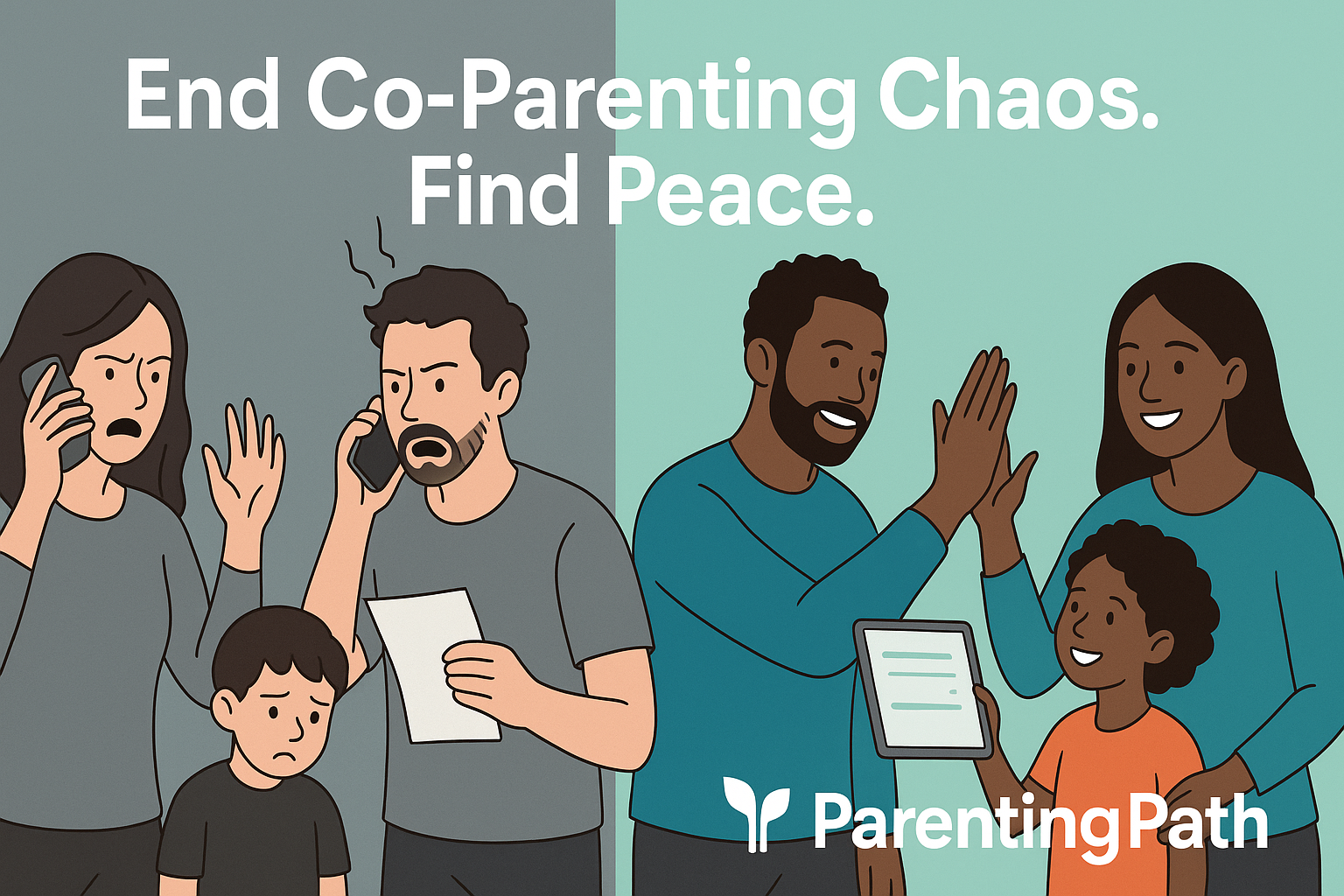
Co-parenting can be challenging, especially when communication between parents is strained. Using the right apps can help keep conversations clear, organized, and focused on the child’s needs.
The best apps for co-parenting communication provide tools for scheduling, messaging, expense tracking, and legal documentation to help reduce conflicts and improve cooperation.

These apps are designed to support parents whether they face high-conflict situations or simply want to stay organized and connected. Features like shared calendars, secure chats, and court-approved communication logs make managing co-parenting responsibilities easier and more transparent.
Choosing the right app depends on each family’s unique needs and priorities. This guide reviews top-rated apps and explains what to look for to ensure a smoother co-parenting experience.
Key Takeways
- Effective communication tools help reduce conflicts and improve scheduling.
- Essential app features include secure messaging, shared calendars, and expense tracking.
- Selecting the right app depends on the level of conflict and legal needs.
Why Communication Is Essential in Co-Parenting

Effective communication is crucial for coordinating schedules, managing responsibilities, and reducing misunderstandings in shared custody situations. It helps parents stay organized, keep the child’s best interests in focus, and prevents conflicts that can arise after divorce or separation.
Challenges of Shared Custody
Shared custody creates unique challenges because parents must coordinate living arrangements, school activities, health care, and more across two households. Without clear communication, missteps happen, such as missed appointments or confusion about decision-making.
Emotions can run high, especially if the divorce was difficult. This can lead to misunderstandings or arguments that affect both parents and children.
It is common for parents to feel frustrated trying to maintain consistent parenting when they are not communicating well. Parents also struggle with boundaries and clarity about responsibilities.
They need a reliable way to share information without involving children or making assumptions. This creates a need for structured communication channels that support collaboration.
Role of Technology in Modern Co-Parenting
Technology offers tools to bridge communication gaps between co-parents. Apps designed for co-parenting provide a centralized place to share schedules, messages, and documents safely and confidentially.
These apps can reduce emotional conflict by giving parents time to respond thoughtfully rather than reacting in the moment. Many tools also create records of conversations that help with accountability and legal issues, preventing “he said, she said” problems.
By replacing text messages and phone calls, technology reduces the risk of miscommunication and keeps all relevant information in one place. This makes parenting logistics simpler, especially when parents live far apart or have busy schedules.
Benefits of Using Communication Apps
Co-parenting apps bring many benefits that improve daily parenting communication. They offer features like shared calendars, secure messaging, expense tracking, and court-admissible documentation.
These tools help reduce the child’s involvement as a messenger. They also provide a neutral, non-judgmental platform for discussions, which lowers tension and misunderstanding.
Parents can avoid costly legal disputes by having time-stamped records of agreements, requests, and exchanges. Some apps include tone meters to prompt respectful communication, which helps maintain a calmer environment.
With many apps offering free trials or no subscription fees, parents can find options that fit their needs and budgets. Using these tools encourages clearer, more consistent communication essential for successful co-parenting.
Key Features to Look for in Co-Parenting Communication Apps

A strong co-parenting app should provide tools that make managing schedules, expenses, messages, and important documents simple and clear. These features help keep both parents organized and reduce misunderstandings.
Each element plays a crucial role in maintaining smooth and respectful communication.
Shared Calendar and Scheduling
A shared calendar is essential for coordinating parenting time, school events, and doctor appointments. The best apps offer color-coded calendars to clearly distinguish each parent’s schedule.
This visual separation helps prevent confusion about who is responsible for what day or event. Scheduling tools often include reminders and notifications to alert parents about upcoming activities.
Some apps let users add notes or to-do lists linked to specific dates. This support keeps parents aware of changes and commitments, fostering better coordination and fewer conflicts.
Integration with other calendars, such as Google Calendar, adds flexibility. It allows parents to sync events from multiple sources, ensuring all important dates stay visible in one place.
Expense Tracking and Shared Expenses
Tracking expenses related to the child is a key feature in many co-parenting apps. Parents can log costs like school supplies, medical bills, or extracurricular fees.
The ability to categorize expenses simplifies managing shared costs, making it clear who owes what. Good apps offer an expense tracker with options to upload receipts and create reports.
This transparency promotes fairness and avoids disputes over money. Some tools also allow parents to set reminders for payment deadlines.
By having a detailed financial record accessible to both parties, co-parents can discuss expenses openly and reduce misunderstandings around money management.
Secure Messaging and Privacy
Communication through the app needs to be private and secure. Secure messaging helps parents discuss important matters without fearing their conversations will be exposed.
Many apps use encryption and safe servers to protect user data. Features like message tracking and tone meters monitor how messages come across, helping prevent conflicts before they start.
A clear messaging system keeps conversations organized and easy to follow. This reduces the chance of missed or misread information.
Privacy settings ensure only the co-parents share details, keeping sensitive matters confidential.
Document Storage and Organization
Storing documents safely within the app is valuable for sharing important files like medical records, school reports, or legal papers. Organized document storage prevents losing or misplacing vital information.
The best apps provide categorized folders so users can sort files by type or event. This setup makes finding what’s needed quick and straightforward.
Some platforms combine document storage with messaging, allowing parents to discuss documents directly within the app. This feature keeps conversations and files connected, supporting clearer communication and better family organization.
For apps that include secure document storage, both parents can access critical records anytime, enhancing transparency and cooperation. Learn more about apps with these features.
Best Rated Apps for Co-Parenting Communication

Effective co-parenting apps offer clear communication tools, shared calendars, and expense tracking to keep both parents informed. These apps vary in features, cost, and focus, catering to different custody situations from low conflict to court-ordered cases.
Choosing the right app depends on the level of communication needed and how important secure, detailed records are.
OurFamilyWizard
OurFamilyWizard is a court-approved co-parenting app widely used in high-conflict or legal custody cases. It provides a secure platform where parents can communicate clearly with features designed to reduce hostility.
The app includes tools like ToneMeter to monitor message tone, time-stamped logs for all communication, and an expense tracker where users can upload receipts. Professionals such as lawyers or mediators can also get separate logins to review communication, which makes it ideal in disputed custody situations.
While it is a paid app, courts sometimes offer reimbursement or discounts. The app supports both iOS and Android devices and keeps records that can be used for legal evidence if needed.
TalkingParents
TalkingParents specializes in secure, uneditable records of communication, making it a top choice for high-conflict co-parenting. It logs messages, calls, and even allows call recording, ensuring all interactions are documented without being altered.
This helps protect both parents in legal or stressful situations. The app offers limited free access but charges for some features.
Communication logs can be exported as PDFs, which is useful for court presentations. TalkingParents focuses on protecting the integrity of these records, making it one of the best co-parenting apps for parents needing legal safety and clear proof of conversations.
Cozi
Cozi takes a different approach by focusing on friendly, cooperative co-parenting. It is not designed for conflict situations but is excellent for parents who share responsibilities smoothly.
The app offers shared calendars, to-do lists, and notes, which help keep daily schedules organized. Cozi is free and user-friendly, with simple navigation ideal for busy families.
While it lacks legal or expense tracking features, it excels at keeping family life coordinated. Parents who want basic organization and less formal communication find Cozi a helpful tool alongside other apps or methods.
AppClose
AppClose is a 100% free co-parenting app that is court-approved in many U.S. jurisdictions. It offers a suite of tools including messaging, shared calendars, expense tracking, and file storage without any subscription fees.
This makes it attractive for parents who want comprehensive features at no cost. The app supports Android and iOS and is designed to reduce misunderstandings by keeping all communication in one place.
It also allows for expense reimbursements to be tracked clearly. AppClose’s combination of free access and legal approval makes it a strong choice for families seeking efficiency without extra costs.
Learn more about co-parenting apps like AppClose and OurFamilyWizard
Other Notable Apps Supporting Co-Parenting Needs
Several apps offer strong tools for managing custody schedules, communication, and shared responsibilities. They each provide features tailored to ease the challenges of co-parenting.
These apps focus on clear custody scheduling, expense tracking, and keeping parents organized.
2Houses
2Houses is designed to simplify co-parenting by focusing on custody schedules and communication. It offers a shared calendar where parents can mark visitation times, appointments, and special events.
Each parent can customize notifications, so they never miss important updates. The app also tracks expenses related to the child, allowing parents to upload receipts and even reimburse each other through the platform.
The color-coded calendar helps distinguish between each parent’s time with the child, reducing confusion. Additional features include a journal for notes, photo albums, and a messaging system.
2Houses encourages transparency while protecting privacy, keeping all data secure. It is available on both mobile and desktop with a low monthly fee after a free trial.
Coparently
Coparently focuses on custody scheduling and legal documentation for co-parenting families. It allows users to create detailed custody schedules that both parents can access and modify with clear rules in place.
The app helps parents stay on the same page about drop-offs, pickups, and visitation changes. One standout feature is its built-in court compliance, which makes it easier to use documented communication and schedules during legal proceedings.
Coparently includes expense tracking and shared calendars to manage financial matters related to the child. Parents can also message each other in a secure, time-stamped environment that prevents disputes over what was said.
The app is web-based and offers subscription plans with the option to add multiple children and users.
Custody X Change
Custody X Change centers on building detailed custody plans and managing custody schedules efficiently. It is especially useful for parents who need precise control over visitation and shared parenting duties.
The app’s calendar tool helps track custody days, holidays, and special events with clear legal formatting. It also offers features to document communication and track child-related expenses.
Custody X Change produces professional parenting plans and schedules that courts widely accept. Unlike many apps, it is downloaded through its website rather than app stores and works on computers and mobile devices.
Its pricing includes options based on how many features are needed, making it flexible for different co-parenting situations.
For more details on Custody X Change and other apps, visit Parents Wonder’s review.
How to Choose the Right Co-Parenting App for Your Family
Choosing the right co-parenting app means focusing on features that fit your family’s specific needs and legal concerns. Important factors include how well the app handles communication, supports legal documentation, and how easy it is for both parents to use.
Assessing Family Needs
Families should first consider their unique situation. For example, high-conflict families may need apps with strong messaging controls and court-approved records.
Those with simple schedules might prioritize shared calendars and reminders instead. It’s important to list key needs such as communication tools, expense tracking, and schedule management.
Parents should also think about how much control they want over notifications, file sharing, and real-time updates. If child support and custody exchanges are involved, the app should offer clear logging features.
This helps track payments and handoffs accurately, which can be shared with family law attorneys if needed.
Evaluating Legal and Privacy Features
Legal protections are critical when choosing a co-parenting app. Many court-approved apps offer uneditable communication logs, which means messages cannot be altered and are usable as evidence in legal situations.
Privacy is another major concern. The app must keep conversations and documents secure and protect sensitive information like custody agreements or child support details.
Features like encrypted messaging, secure file uploads, and limited access for third parties (such as lawyers or mediators) are valuable. This can give parents confidence that their data is protected and respected.
Integration With Legal Agreements
Some co-parenting apps allow the integration or direct upload of custody agreements and legal documents. This can help parents stay aligned with court orders and reduce confusion.
Tools that provide timestamped communication, expense logs, and calendar entries related to custody exchanges help maintain transparency during disputes. Apps that offer separate logins for family law attorneys or professionals make it easier to involve legal experts when necessary.
User Experience and Accessibility
Ease of use is essential to consistent app usage. Parents with different tech skills need an intuitive interface with clear navigation across devices like phones, tablets, or computers.
Look for apps that work on both Android and iOS to accommodate all users. Features such as color-coded calendars, simple messaging, and notification settings improve accessibility.
Some apps offer tutorials or customer support, which helps users quickly learn how to manage schedules or upload documents. A clutter-free design encourages regular check-ins.
Frequently Asked Questions
Co-parenting apps vary in features, legal acceptance, and ease of use. Some apps focus on clear communication, while others include tools for managing schedules, expenses, and conflicts.
The following answers cover popular options and their unique strengths.
What are the top-rated co-parenting apps for effective communication?
OurFamilyWizard and coParenter are often rated highly for communication. Both apps offer secure messaging, shared calendars, and tools to reduce conflict.
They focus on clear, organized exchanges between parents.
Are there any co-parenting apps available that are approved by the court system?
Yes. OurFamilyWizard is widely accepted by courts in all 50 U.S. states.
Talking Parents also stores communication securely and is recognized in legal settings. These apps help when court documentation is necessary.
Which co-parenting apps offer the best features for managing high-conflict situations?
Apps like Talking Parents and coParenter are designed for high-conflict cases. They provide secure communication with records that cannot be deleted, plus access to mediators or parenting experts to help resolve issues.
Is there a comprehensive co-parenting app that includes conversation recording features?
Talking Parents records all messages and calls securely, preserving them for potential legal use. This transparency helps prevent disputes about communication and offers a reliable record of interactions.
What are the most user-friendly co-parenting apps for iOS devices?
2Houses and Custody Connection are noted for having easy-to-navigate interfaces on iOS. They offer useful features like journals, shared calendars, and expense tracking without overwhelming users.
Can you recommend co-parenting apps that are free to use and highly effective?
Cozi, AppClose, and Google Calendar are free and useful for co-parents. AppClose includes features like receipt scanning and electronic payments.
Google Calendar offers easy shared event tracking across devices. For more details on these options, see the list of best co-parenting apps for 2025.